Construction CRM Software for Streamlined Project Management and Growth
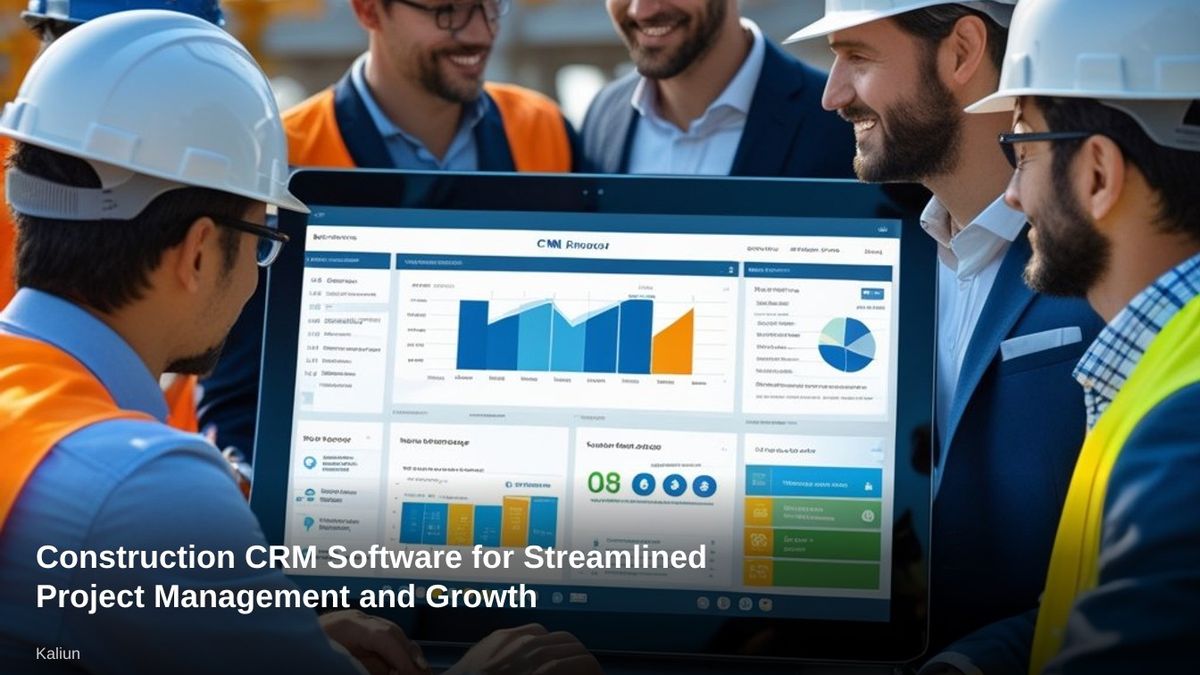
Construction CRM Software for Streamlined Project Management and Growth
Construction CRM software helps us manage client relationships, track bids, organize projects, and keep communication in one place. In a competitive construction market, we just can't rely on spreadsheets and scattered emails to manage estimates, subcontractors, and follow-ups anymore.
We need systems built for how construction actually works. Construction CRM software gives us a centralized platform to track leads, manage bids, automate follow-ups, and connect sales with project execution.
Many modern platforms support estimating, invoicing, pipeline tracking, and field communication. This helps us reduce delays and see what's happening across teams.
When we align office and field operations, we make faster decisions and protect margins. The right solution supports collaboration, mobile access, and reporting, but doesn't pile on pointless complexity.
As more providers tailor CRM tools for contractors and builders, we get options that fit our size, budget, and workflow. There's a lot more flexibility than there used to be.
Key Takeaways
- Construction CRM software centralizes client, bid, and project information.
- Integrated tools improve coordination between sales, office staff, and field teams.
- Choosing the right platform depends on workflow, features, and scalability.
What Is Construction CRM Software?
Construction CRM software helps us manage client relationships, track project opportunities, and control communication across complex jobs. It connects sales, estimating, and project delivery in one structured system built for contractors.
Definition and Purpose
Construction CRM software is a specialized customer relationship management system for construction companies. Unlike generic tools, a construction CRM supports the full lifecycle of a project, from lead capture to final invoice.
We use CRM for construction to track bids, manage estimates, store contracts, and monitor client communication in one place. It replaces scattered spreadsheets, inbox threads, and disconnected apps with a centralized database.
Most construction CRM software includes:
- Lead and bid tracking
- Pipeline and opportunity management
- Estimating and proposal integration
- Contact and subcontractor records
- Document storage for permits, compliance, and safety files
- Invoicing and payment tracking
We gain visibility into every opportunity, reduce missed follow-ups, and improve coordination between office staff and field teams. For contractors juggling multiple projects, structured data improves accountability and timing.
Who Uses Construction CRM Software
General contractors, specialty contractors, and subcontractors rely on CRMs to manage both sales and operations. Small to mid-sized firms often use them to replace manual processes, while larger companies integrate them with accounting and project management systems.
Several roles benefit directly:
- Business development teams track leads, referrals, and bid invitations.
- Estimators manage bid deadlines and proposal documents.
- Project managers monitor client communication and change orders.
- Owners and executives review pipeline forecasts and revenue projections.
Field supervisors use mobile features to update notes, upload site photos, or confirm job details. In competitive markets with rising client expectations, structured communication and documented workflows protect margins and reduce disputes.
Construction CRM software supports firms handling residential, commercial, or industrial projects. The core value stays consistent: better control over relationships and revenue.
Construction CRM vs. General CRM Solutions
General CRM platforms focus on contact management and sales pipelines. They work well for service businesses but often lack tools tailored to construction workflows.
A construction CRM includes industry-specific capabilities such as:
We choose CRM for construction when we need job-level visibility, subcontractor tracking, and integration with accounting or project management software. General CRMs can adapt to construction, but they often require heavy configuration.
Construction CRM software reduces that effort by aligning features directly with contractor workflows.
Core Features of Construction CRM Software
Construction CRM software connects sales, client communication, project execution, and documentation in one system. We use it to manage leads, track jobs, control documents, and maintain clear records from the first bid to final payment.
Lead Management and Sales Pipeline
We rely on lead management tools to capture inquiries from web forms, referrals, bid platforms, and phone calls in one place. The system assigns leads to estimators or sales reps and records every interaction automatically.
A visual sales pipeline shows each opportunity by stage, such as:
- New inquiry
- Qualification
- Site visit scheduled
- Estimate sent
- Negotiation
- Contract signed
We track deal value, probability, and expected start dates to forecast revenue accurately. Integrated estimating tools and bid tracking let us link proposals, cost breakdowns, and revisions directly to the opportunity record.
Sales pipeline management supports task reminders, follow-ups, and approval workflows. This structure reduces missed bids and shortens response time, which directly affects win rates in competitive markets.
Contact and Client Management
Construction projects involve many stakeholders. We use contact management features to store detailed profiles for property owners, developers, subcontractors, architects, and suppliers.
Each contact record typically includes:
- Company and role
- Communication history
- Active and past projects
- Contracts and change orders
- Billing and payment notes
This centralized view prevents data silos between sales, project management, and accounting. When a client calls, we see their open work orders, pending estimates, and recent emails immediately.
Client management supports segmentation. We group contacts by project type, region, or contract value to target follow-ups and repeat business.
Project Tracking and Scheduling
Once a deal closes, we convert the opportunity into an active project without re-entering data. This connection between sales and operations reduces errors and speeds up job kickoff.
We use project tracking dashboards to monitor:
- Budget vs. actual costs
- Task completion status
- Change orders
- Work orders
- Key milestones
Integrated job scheduling tools assign crews, equipment, and subcontractors to specific dates. Gantt charts or calendar views help us adjust timelines when delays happen.
Project tracking tools also store communication logs and site updates. Field teams upload notes or photos, keeping office staff informed.
Document and Contract Management
Construction projects generate high volumes of paperwork. We use document management features to organize estimates, blueprints, RFIs, permits, invoices, and inspection reports in structured folders.
Key capabilities include:
- Secure document storage with version control
- Role-based access permissions
- Automated approval workflows
- Audit trails for edits and downloads
Contract management tools link agreements directly to project and client records. We track contract values, payment schedules, renewal dates, and compliance requirements.
When change orders occur, we attach updated documents to the original contract and keep clear revision histories. Strong document control reduces confusion and ensures teams work from the latest approved files.
Integrated Tools and Automation
Construction CRM software connects marketing, sales, field operations, and finance in one system. We use automation to reduce manual data entry, improve sales forecasting, and track time and performance with clear reporting.
Marketing and Sales Automation
We rely on marketing automation to capture and nurture leads from multiple sources, including website forms, bid portals, and referral partners. The CRM can automatically assign leads to estimators or sales reps based on project type, location, or contract value.
Email campaigns, follow-ups, and reminders run on predefined schedules. This keeps communication consistent without requiring manual outreach for every prospect.
Sales automation tools track deal stages such as qualification, site visit, proposal, and contract signing. We can automate task creation when a bid moves forward or send alerts when a proposal remains unopened.
Accurate data supports sales forecasting. By analyzing pipeline value, close rates, and project timelines, we can project revenue by quarter or trade.
Workflow Automation Capabilities
Construction projects involve repetitive administrative steps. Workflow automation standardizes these processes so teams follow the same sequence every time.
We can trigger actions when specific events occur, such as:
- Creating a project record once a deal closes
- Notifying accounting to generate an invoice
- Assigning a project manager automatically
- Sending document requests to subcontractors
Many construction CRMs integrate with accounting software, project management platforms, and document management tools. These integrations allow data to sync automatically instead of being entered in multiple systems.
CRM automation also improves compliance and documentation. The system logs communication, stores contracts, and maintains audit trails without extra effort from staff.
Time Tracking and Reporting
Accurate time tracking affects payroll, job costing, and profitability. We use CRM-connected tools to log hours by project, phase, or task.
Field teams submit time entries through mobile apps. Office staff review and approve them before syncing with payroll or accounting systems.
Reporting dashboards show:
- Billable vs. non-billable hours
- Labor costs by project
- Sales performance by rep
- Forecasted revenue vs. actual revenue
These reports support operational decisions. When we compare estimated labor hours to actual time spent, we spot cost overruns early.
Clear reporting turns raw data into practical insight.
Collaboration, Mobility, and Field Operations
Construction CRM software must support crews in the field, align subcontractors, and keep project stakeholders working from the same information. We rely on mobile tools, structured coordination, and centralized communication to reduce delays and prevent costly errors.
Mobile Access for Field Teams
Mobile CRM is essential for field-driven businesses. We equip superintendents, project managers, and sales reps with real-time mobile access to contacts, project records, drawings, and task lists directly from their phones or tablets.
Field teams update job statuses, log site visits, attach photos, and capture notes without returning to the office. This keeps customer records accurate and reduces duplicate data entry.
Key capabilities we expect include:
- Offline access with automatic sync
- Time and location-stamped activity logs
- Mobile document viewing and markup
- On-site estimate and change order creation
- Push notifications for task updates
Mobile access for field teams strengthens accountability. We can track follow-ups, monitor site activity, and confirm that required documentation, like safety forms or inspection reports, has been submitted.
When field data flows directly into the CRM, office staff gain immediate visibility into project progress. That visibility improves forecasting, billing timing, and client communication.
Subcontractor Management and Coordination
Subcontractor management requires structure. We use construction CRM systems to store licenses, insurance certificates, contracts, and performance history in one centralized record.
This approach supports compliance and reduces risk. We can quickly verify expiration dates, review documentation, and track approved vendors without searching through endless email threads.
Effective subcontractor coordination includes:
- Assignment tracking by trade and project phase
- Automated reminders for deadlines and document renewals
- Change order tracking linked to specific subcontractors
- Communication logs tied to each company record
When schedules shift, we update timelines inside the CRM and notify affected subcontractors immediately. This reduces confusion and keeps crews from showing up on the wrong day.
We also track bid requests, responses, and awarded scopes. Clear records help us evaluate pricing trends and performance across multiple projects.
Project Collaboration and Communication
Strong project collaboration depends on shared visibility. We centralize emails, call notes, documents, and task updates inside the CRM so everyone works from the same data set.
Construction collaboration software now integrates with cloud-based document management and project management platforms. We connect RFIs, submittals, and change orders directly to client and subcontractor records.
Effective project collaboration tools provide:
- Role-based access controls
- Shared task boards and milestone tracking
- File version control
- Comment threads linked to specific records
- Audit trails for critical updates
This structure prevents miscommunication. Team members see the latest drawings, updated budgets, and revised timelines without relying on scattered messages.
By aligning field updates, subcontractor coordination, and office communication inside one system, we maintain accurate records and reduce delays caused by missing information.
Popular Construction CRM Software Solutions
Construction companies can choose from specialized contractor platforms and flexible general CRMs. We evaluate leading options based on features, industry fit, and integration with estimating, accounting, and project management systems.
Comparison of Leading Construction CRM Platforms
Several platforms consistently rank among the best construction CRM options.
Buildertrend, Procore, and Contractor Foreman combine CRM functions with project management, scheduling, and budgeting. These tools suit general contractors who want operations and sales data in one system.
Builder Prime, Projul, and JobNimbus focus more directly on lead tracking, estimates, and customer communication for remodelers and specialty contractors.
General CRMs such as HubSpot CRM, Salesforce, Zoho CRM, Pipedrive, Insightly, Capsule CRM, Salesmate, and monday sales CRM offer strong pipeline management and automation. We often see companies choose these when they need advanced reporting or complex sales workflows.
The right choice depends on whether we prioritize field operations, sales automation, or both.
Industry-Specific vs. General CRM Tools
Industry-specific tools tackle construction workflows head-on. TopBuilder, Houzz Pro, ConWize, and Buildertrend help with estimating, bid tracking, subcontractor coordination, and change orders.
These platforms usually cut down on customization because they match how contractors already operate. For instance, ConWize zeroes in on bid management, while Jobber and Projul give service-based contractors dispatch and invoicing tools.
General CRMs need more setup but bring a lot of flexibility. With Salesforce or Zoho CRM , we can create custom objects for projects, bids, and properties.
HubSpot CRM stands out for marketing automation and tracking inbound leads. If we want something built for contractors right away, industry-specific tools make sense.
But if we need advanced automation across different business lines, a general CRM might be the better call.
Integration with Other Construction Software
Integration really decides if a CRM becomes a single source of truth or just another data silo.
A lot of construction CRMs offer QuickBooks integration to sync invoices, payments, and customer records. Buildertrend, Contractor Foreman, and JobNimbus connect straight to accounting platforms so we don’t have to enter the same data twice.
Procore links up with project management and financial tools, which lines up sales forecasts with job cost tracking. General CRMs like HubSpot, Salesforce, and monday.com connect through native apps or middleware to estimating software, email marketing tools, and document management systems.
We look at integrations like:
- Accounting sync (think QuickBooks)
- Estimating and proposal tools
- Project management software
- Marketing automation platforms
When integrations are strong, sales, operations, and finance teams all work from the same data, not in their own little bubbles.
How to Choose the Best Construction CRM Software
We need a system that fits the way we bid, sell, and manage jobs. The right choice supports field operations, estimating, and project tracking, but still feels practical for everyday use.
Factors to Consider for Construction Businesses
We start by mapping the CRM to our real workflow, from lead intake to project closeout. Good construction CRM software should link sales pipelines with estimating, proposals, and handoff to project management.
We look for features that actually help construction operations:
- Bid and opportunity tracking with job value, timelines, and probability
- Integration with construction management software for scheduling and budgeting
- Document storage for contracts, drawings, and change orders
- Subcontractor and vendor contact management
- Mobile access for field teams
Integration really matters. If the CRM can’t sync with accounting tools, estimating platforms, or project management systems, we’re just making more work for ourselves.
Usability counts, too. Office staff, project managers, and execs all need quick access to dashboards, reports, and client histories, without wrestling with complex setup.
Clear reporting on backlog, win rates, and revenue forecasts helps us make smarter decisions. Pricing should fit our size and growth plans, so we compare per-user costs, onboarding fees, and upgrade options before we commit.
Implementation Strategies and Best Practices
We treat implementation like an actual rollout, not just a software install. First, we decide what success looks like, maybe that’s better bid tracking or a faster sales cycle.
We pick a CRM owner to handle setup, permissions, and data standards. Without someone in charge, it all gets messy fast.
Before importing data, we clean up contact lists, standardize job names, and ditch old records. Clean data means better reporting right from the start.
We connect the CRM to our existing construction project management software early on. Automated data flow between sales and operations cuts down on manual entry and confusion.
Training should focus on real situations:
- Logging a new lead
- Turning an estimate into a project
- Updating project status for leadership review
We keep an eye on adoption with usage reports and tweak workflows as needed. Consistent use means the CRM becomes part of daily life, not just another ignored database.
Frequently Asked Questions
Construction CRM software helps with lead tracking, bid management, client communication, project visibility, cost control, integrations, and data security. We focus on tools that help contractors manage pipelines, coordinate teams, and keep project info safe.
What are the best features to look for in CRM software tailored for the construction industry?
We want tools that handle bids, estimates, and proposals all in one place. A clear sales pipeline with stages for lead, qualification, bid submission, and contract award keeps things organized.
Project tracking tied to contacts and companies is crucial. The CRM should store drawings, contracts, site notes, and communication history right in each record.
Strong reporting features help us forecast revenue and track win rates. Mobile access is a must for field teams who need to update notes, tasks, and deal stages from job sites.
Customization matters, too. Construction workflows aren’t like other industries, so we need flexible fields, pipelines, and automation rules.
How does CRM software improve client relationships for construction companies?
A construction CRM puts every interaction with owners, developers, subs, and suppliers in one timeline. We can see emails, calls, meeting notes, and project history at a glance.
Automated reminders help us avoid missing follow-ups during long sales cycles. That kind of consistency builds trust and shows we’re reliable.
When sales and project teams share visibility, miscommunication drops. Everyone’s on the same page, so we respond faster and with better info.
Detailed client records help us spot repeat business, too. We can track completed projects, warranty periods, and future bid invites.
Can construction CRM software integrate with existing project management tools?
Most construction CRMs do connect with project management and accounting platforms. Typical connections include tools for scheduling, estimating, invoicing, and document management.
Integration saves us from entering the same data twice. When a deal closes, the system can send client and project data right to the project management platform.
We also look for API access or native integrations for flexibility. That way, we can hook up field reporting apps, marketing tools, and financial systems.
Before we pick a CRM, we check that it plays nice with our current tech stack. Skipping this step can really mess up workflows later.
What security measures should be in place for a construction CRM to protect sensitive project data?
A construction CRM needs encryption for data both in transit and at rest. That protects contracts, financial records, and design docs.
Role-based access controls keep sensitive info limited to the right people. We set permissions based on job roles to cut down on internal risk.
Multi-factor authentication gives another layer of security. Audit logs help us keep tabs on account activity and changes.
Regular data backups and compliance with security standards make the system more reliable. These steps lower the risk of data loss or unauthorized access.
How does a construction CRM handle project tracking and cost management?
Construction CRMs link deals to active projects as soon as contracts get signed. We track milestones, deadlines, and key contacts all in one place.
Some platforms connect with estimating and accounting tools to show budget data. This lets us compare projected revenue with actual costs.
Dashboards give us a view into pipeline value, contract amounts, and project status. We use these reports to forecast workload and cash flow.
Task management features help teams assign responsibilities, set due dates, and keep tabs on progress across projects.
What training resources are typically available for teams adopting new construction CRM solutions?
Most vendors kick things off with onboarding sessions and guided setup. We usually get live virtual training that actually fits our workflows.
There are knowledge bases, video tutorials, and step‑by‑step guides so teams can learn at their own speed. These tools work for both office staff and folks out in the field.
Some providers roll out certification programs or advanced modules for those who want to dig deeper. And if something goes sideways after launch, customer support, whether by chat or phone, is there to help us sort things out.