Website Forms
Connect any website form to Kaliun. Capture leads from contact pages, landing pages, and quote requests with a single HTTP POST.
Kaliun's Website Forms API lets you push submissions from any website — static HTML, WordPress, Webflow, Framer, a custom Next.js app, anything — directly into your CRM as leads. No plugins, no embeds, full control over your markup.
Quickstart
Create a form in Kaliun
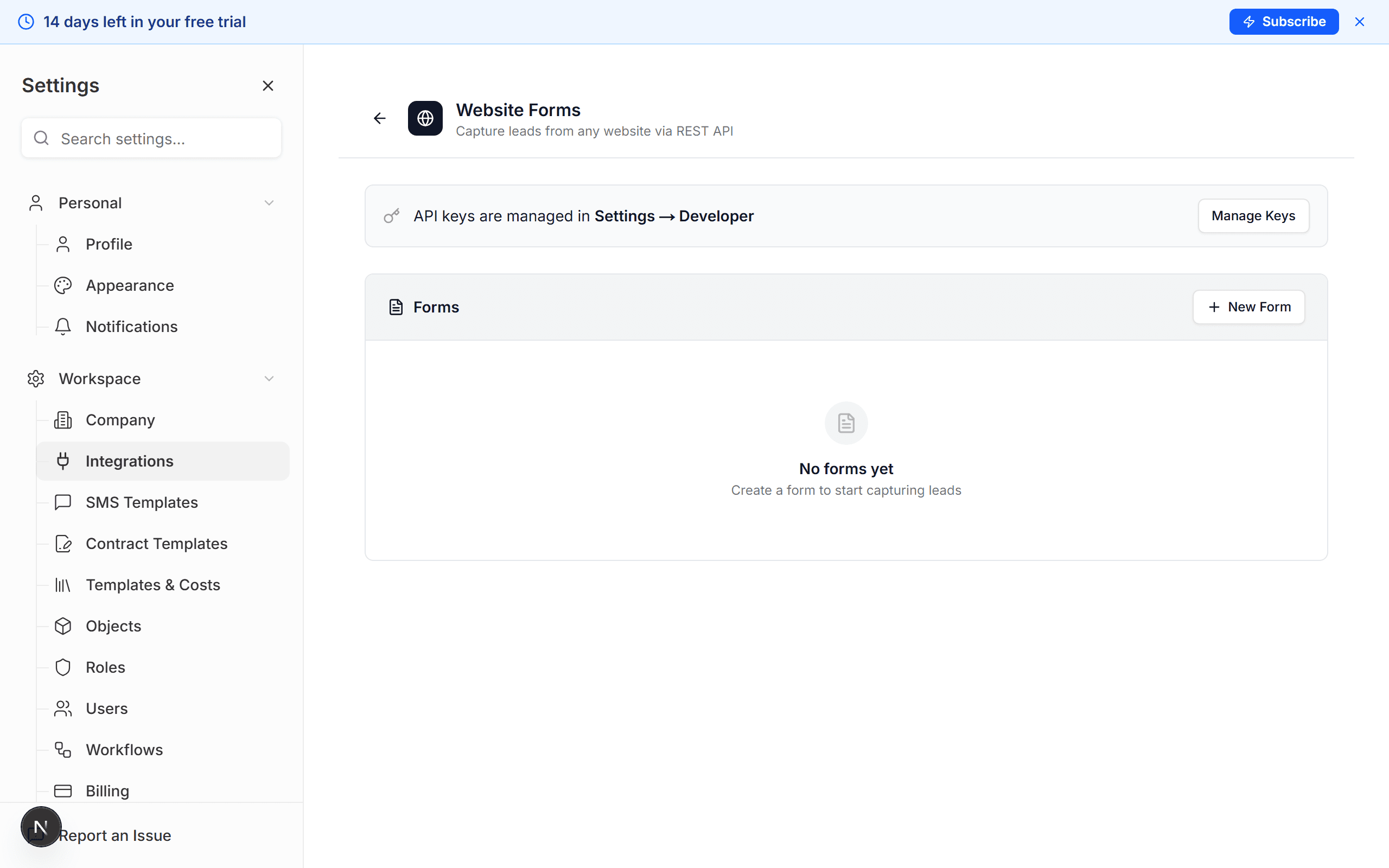
Go to Settings → Integrations → Website Forms and click New Form. Give it a name (e.g. "Contact Page") and save to get a Form ID.
Generate an API key
Go to Settings → Developer → API Keys and create a new key. Copy it once — it will not be shown again. Store it in your server-side environment variables.
POST to the submissions endpoint
Send form data as JSON to /api/v1/forms/:formId/submissions with your
API key in the x-api-key header. Kaliun will create or update a Person,
apply defaults, trigger assignment, and fire any configured workflows.
Endpoint reference
POST https://api.kaliun.com/api/v1/forms/:formId/submissionsSubmits a form entry. Creates a new Person (lead) or updates an existing one based on the form's duplicate handling configuration.
Headers
| Name | Required | Description |
|---|---|---|
x-api-key | Yes | Your Kaliun API key. Treat like a password. |
Content-Type | Yes | Must be application/json. |
Origin | Browser | Validated against the form's allowedOrigins list when present. |
Request body
| Field | Type | Description |
|---|---|---|
fields | object | Required. Raw form data keyed by your field names. Must include at least email or a name field. |
metadata | object | Optional. Context like pageUrl, referrer, UTM parameters, or session IDs. |
Examples
cURL
curl -X POST https://api.kaliun.com/api/v1/forms/FORM_ID/submissions \
  -H "Content-Type: application/json" \
  -H "x-api-key: YOUR_API_KEY" \
  -d '{
    "fields": {
      "name": "Jane Smith",
      "email": "jane@example.com",
      "phone": "555-123-4567",
      "message": "I need a quote for a kitchen remodel.",
      "budget": "$50,000 - $75,000",
      "project_type": "kitchen"
    },
    "metadata": {
      "pageUrl": "https://yoursite.com/contact",
      "referrer": "https://google.com"
    }
  }'
JavaScript (fetch)
const response = await fetch(
  `https://api.kaliun.com/api/v1/forms/${FORM_ID}/submissions`,
  {
    method: 'POST',
    headers: {
      'Content-Type': 'application/json',
      'x-api-key': process.env.KALIUN_API_KEY!,
    },
    body: JSON.stringify({
      fields: {
        name: form.name.value,
        email: form.email.value,
        phone: form.phone.value,
        message: form.message.value,
      },
      metadata: {
        pageUrl: window.location.href,
        referrer: document.referrer,
      },
    }),
  },
);

const result = await response.json();
if (result.success) {
  console.log('Lead created:', result.data.personId);
}
Success response (201)
{
  "success": true,
  "data": {
    "submissionId": "clx1a2b3c4d5e6f7g8h9",
    "personId": "clx9z8y7x6w5v4u3t2s1",
    "isNew": true
  }
}
Error response
{
  "success": false,
  "error": "Request body must include a \"fields\" object",
  "code": "VALIDATION_ERROR"
}
Field mapping
Kaliun auto-detects common field names so most forms work with zero
configuration. If your form uses custom names, define an explicit mapping
in Settings → Website Forms → Field Mapping. Unmapped fields are
stored on Person.customData by default.
| Form Field Name | Maps To |
|---|---|
name, full_name, fullname | Splits into firstName + lastName |
first_name, firstname, fname | firstName |
last_name, lastname, lname | lastName |
email, email_address, e-mail | email |
phone, phone_number, tel, mobile | phone |
company, company_name, organization | company |
address, street, street_address | address |
city | city |
state, province | state |
zip, zipcode, postal_code | zip |
message, notes, comments, inquiry | noteContent (creates a comment) |
budget, budget_range, price_range | budget |
timeline, timeframe, when | timeline |
project_type, service, service_type | projectTypes[] |
source, referral_source, how_did_you_hear | source |
What happens when a form is submitted
- Input is sanitized (HTML tags stripped) and validated.
- Spam blocklist is checked — known bad senders are silently rejected.
- Field mapping is applied using your config plus smart defaults.
- Duplicate detection runs on the configured match field (default: email).
- A Person is created or updated based on duplicate handling mode.
- Auto-assignment runs (single user or round-robin pool).
- An activity is logged and realtime notifications are pushed to your workspace.
- Any outbound webhook is fired with an HMAC-SHA256 signature.
- The auto-responder email is sent if enabled.
- A
form.submittedevent is emitted to the workflow engine.
Duplicate handling
update_existing (default)
If a Person with the matching email already exists, only fill empty fields and merge tags + project types. Never overwrites existing data.
create_new
Always create a new Person record, even if a match exists. Useful for multi-submission campaigns.
skip
Log the submission but do not create or update a Person. The submission is still visible in the form's history.
Outbound webhooks
Every form can optionally POST a copy of each submission to a URL you
control. Configure webhookUrl and webhookSecret in the form's
Automation tab.
- Payload contains
submissionId,formId,personId,isNew, and the mapped fields. - Signature is sent in the
x-kaliun-signatureheader as an HMAC-SHA256 hex digest of the raw body using your secret. - Verify on your server before trusting the payload.
Rate limits
- 30 submissions per minute per form
- 1,000 submissions per day per organization
- Exceeding either returns HTTP 429 with code
RATE_LIMITED
Error codes
| Code | HTTP | Description |
|---|---|---|
VALIDATION_ERROR | 400 | Missing fields object or required fields (email or name). |
UNAUTHORIZED | 401 | Missing or invalid x-api-key header. |
FORM_NOT_FOUND | 404 | The formId does not exist or does not belong to your organization. |
FORM_INACTIVE | 403 | The form has been paused in settings. |
ORIGIN_NOT_ALLOWED | 403 | Browser Origin header does not match the form's allowedOrigins list. |
RATE_LIMITED | 429 | Exceeded 30 submissions/min per form or 1000/day per organization. |
Security notes
- API keys are hashed (SHA-256) at rest — we never store the plaintext. Rotate them any time from Settings → Developer.
- For browser submissions, configure
allowedOriginson the form to restrict which domains can POST. - Never ship your API key in client-side code without CORS restrictions — prefer a thin server-side proxy for public websites.
- All traffic must be HTTPS. Plain-text requests are rejected.